
The EdSim51 Simulator was designed so that everything is visible on the screen at the same time – the internal registers, the source code, the peripherals, etc. You can see this in a screenshot of the simulator below.
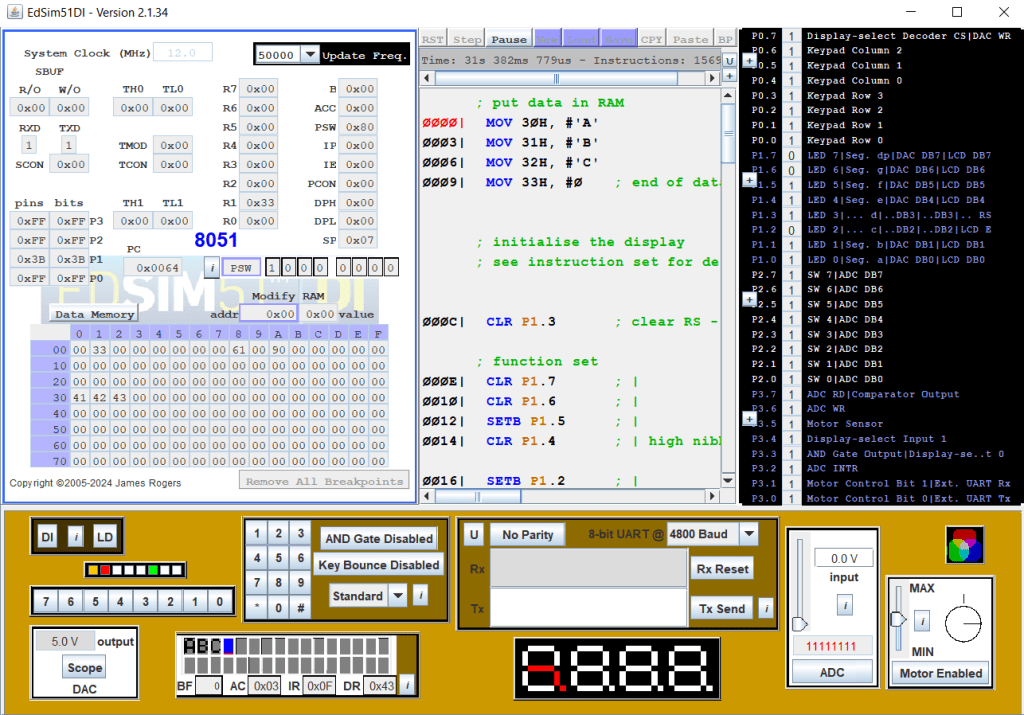
This allows the student to observe everything at once and helps in debugging of code.

However, when writing the code itself, the source code pane may seem a little small and restrictive. Therefore, a new feature was added: By clicking on the button marked U the user can unlock the source code pane from within the main window.

To lock the source code pane back in place inside the main window, simply close the source code window, as shown.
 EdSim51DI